Hypomnema
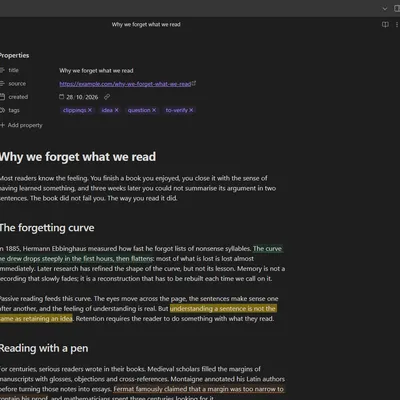
Hypomnema is an Obsidian plugin for reading, reflection and knowledge organisation. You comment on a passage, or on a precise point, of any note. You write, reply and navigate in a side panel, much like the comments pane in Word. Comments go into coloured categories linked to tags. They are stored as plain text inside the note: searchable, synced with the rest of your vault, readable without the plugin.
The name comes from the Greek hypomnēmata, the notebooks in which readers copied passages and wrote down their own remarks so they could come back to them.
Light by default, deep on demand
Section titled “Light by default, deep on demand”The plugin is organised in three levels. Each one appears only if you go looking for it.
| Level | What you see | For whom |
|---|---|---|
| 1. Usage | Commenting, categories, the margin, the default extraction. Nothing to configure. | Everyone |
| 2. Gestures | Named annotations and extractions, global variables. | Readers who have a method to equip |
| 3. Advanced | Chains, groups, scripts, API, URI, export and import. | Readers who want to program their workflow |
Without any gesture defined, the plugin behaves as it always has. Levels 2 and 3 arrive with version 0.5.0.
Where to go next
Section titled “Where to go next”- Install the plugin and write a first comment.
- Take the tour in eight steps, with screenshots.
- Understand gestures, the building block of levels 2 and 3.
- Read the method notes, which explain the reading practice behind each feature.
- Connect Hypomnema to Dataview, QuickAdd, Kanban, Templater or Tasks.